> ## Documentation Index
> Fetch the complete documentation index at: https://docs.bigdata.com/llms.txt
> Use this file to discover all available pages before exploring further.
# Authentication
We are sunsetting our SDKs and will no longer add new features, security patches, bug fixes, or technical support for them. To access the latest capabilities and ongoing improvements, we encourage you to migrate to our [RESTful API](/api-rest/introduction).
SDK support will officially end on **December 31, 2026**. On this date, the underlying endpoints used by the SDKs and related documentation will be decommissioned.
To avoid any disruption to your services, please ensure your migration is complete by that date.
For migration assistance, please contact us at [support@bigdata.com](mailto:support@bigdata.com).
Bigdata.com provides two Python SDKs:
* [bigdata-client](https://pypi.org/project/bigdata-client/)
* [bigdata-research-tools](https://github.com/Bigdata-com/bigdata-research-tools?tab=readme-ov-file#bigdata-research-tools---user-guide)
You can log in either with a username and password or with an API key.
First of all, we recommend to create a file with [environment variables](./environment_variables) to specify your credentials.
The username and password are the same you use to log in to the Bigdata App.
```python highlight={5-7} theme={null}
import os
from bigdata_client import Bigdata
# Initialize the Bigdata API
username = os.environ.get("BIGDATA_USERNAME")
password = os.environ.get("BIGDATA_PASSWORD")
bigdata = Bigdata(username, password)
```
You can create your API Keys in the [Developer Platform > API Keys](https://platform.bigdata.com/api-keys)
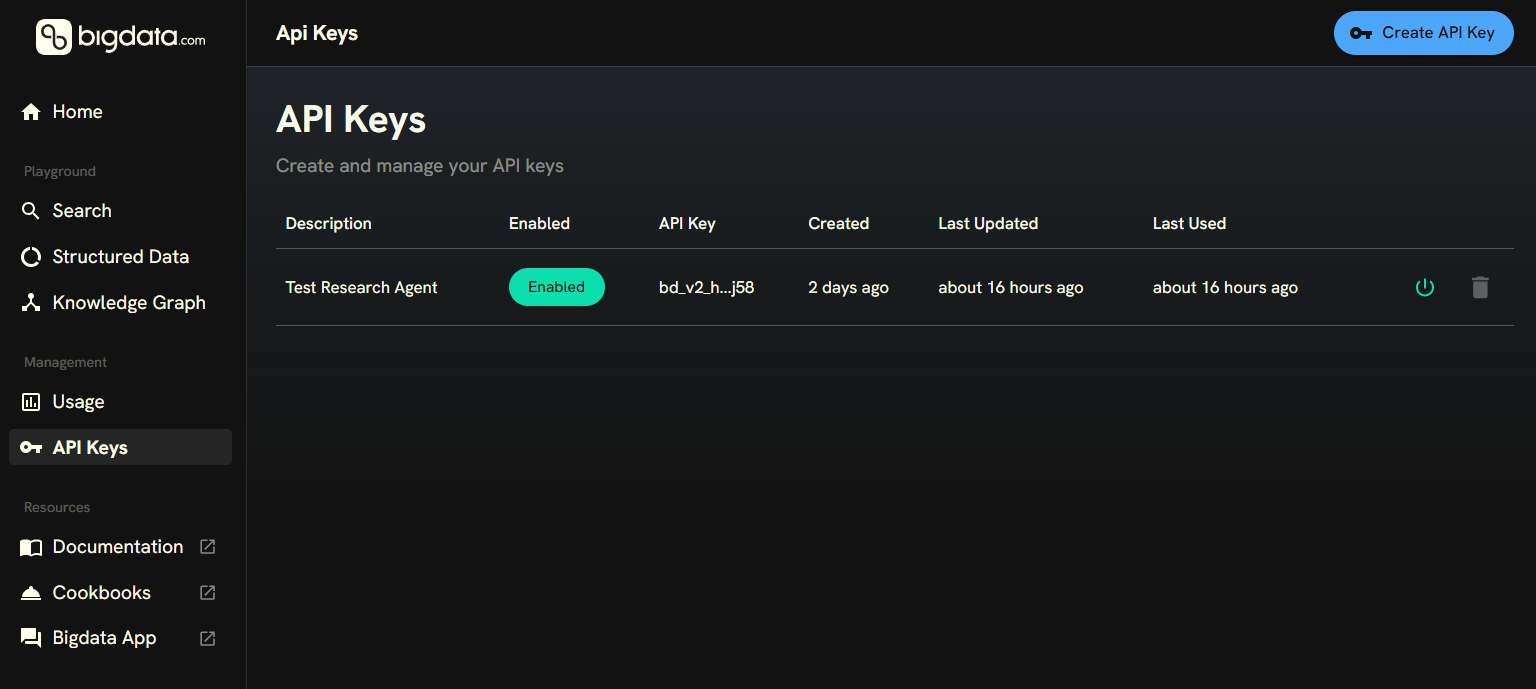 Then, you can save it in your environment variables and instantiate the `Bigdata` class with the the following code:
```python highlight={5-6} theme={null}
import os
from bigdata_client import Bigdata
# Initialize the Bigdata API
my_api_key = os.environ.get("BIGDATA_API_KEY")
bigdata = Bigdata(api_key=my_api_key)
```
API keys is not supported for interacting with the `bigdata.uploads` service yet.
The default constructor of `Bigdata` will read the environment variables and use them to authenticate. API keys take precedence over the username and password.
Query unified financial intelligence across premium sources and your own data through one API.
Create intelligent assistants that combine web and premium data with your proprietary content for deeper insights and productivity.
(Sunsetting) This is the former version of the Research Agent. It is still available in the SDK for backward compatibility, but it is recommended to use the Research Agent API instead.
Then, you can save it in your environment variables and instantiate the `Bigdata` class with the the following code:
```python highlight={5-6} theme={null}
import os
from bigdata_client import Bigdata
# Initialize the Bigdata API
my_api_key = os.environ.get("BIGDATA_API_KEY")
bigdata = Bigdata(api_key=my_api_key)
```
API keys is not supported for interacting with the `bigdata.uploads` service yet.
The default constructor of `Bigdata` will read the environment variables and use them to authenticate. API keys take precedence over the username and password.
Query unified financial intelligence across premium sources and your own data through one API.
Create intelligent assistants that combine web and premium data with your proprietary content for deeper insights and productivity.
(Sunsetting) This is the former version of the Research Agent. It is still available in the SDK for backward compatibility, but it is recommended to use the Research Agent API instead.