> ## Documentation Index
> Fetch the complete documentation index at: https://docs.bigdata.com/llms.txt
> Use this file to discover all available pages before exploring further.
# Financial Research Analyst
> Create comprehensive financial workflows powered by Bigdata.com MCP tools
## Overview
Financial institutions often struggle to produce research reports that are consistent in precision, depth of reasoning, and output format.
After key financial events, teams face intense time pressure and fragmented workflows, which leads to uneven quality, inconsistent structure, and delayed coverage.
The **Bigdata Financial Research Analyst skills** solve this by guiding an LLM through a repeatable research-and-writing process, while the Bigdata MCP tools provide direct access to Bigdata premium content for sourcing, validation, and contextual analysis.
✅ Reports can be generated quickly, at scale, and in a standardized format across the full portfolio.
Use it when you need assistance with:
**Public Company Analysis**
* **Company Briefs**: Generate detailed company profiles and summaries
* **Earnings Previews**: Prepare ahead of earnings announcements with analyst expectations and key metrics
* **Earnings Digests**: Summarize earnings calls and financial results
* **Risk Assessments**: Evaluate potential risks and market exposure
**Macro Economics Analysis**
* **Sector Analysis**: Analyze sector performance, valuations, themes, and catalysts
* **Country Economic Profiles**: Assess GDP, inflation, monetary policy, and market implications
* **Country-Sector Analysis**: Combine macro and sector views for a specific country (e.g., "US Technology", "India Financials")
* **Cross-Sector Comparisons**: Compare relative value across sectors with rotation signals and cycle positioning
* **Thematic Research**: Explore investment themes such as AI, energy transition, deglobalization, and interest rates
* **Regional Comparisons**: Compare G7/G20 economies with currency and cross-asset views
You can fork the [GitHub repository](https://github.com/Bigdata-com/skills-financial-research-analyst?tab=readme-ov-file#customization-ideas) and customize the workflows and output format to match your company standards.
## Setup
You need:
* An Agentic platform with Skills support like a **Claude** or **Cursor**
* The Bigdata.com MCP connector enabled in your environment:
* [Claude MCP Integration](/mcp-reference/oauth-integrations/claude-mcp-integration)
* [Cursor MCP Integration](/mcp-reference/api-integrations/mcp-api-integration)
The Claude official Bigdata plugin contains the `Financial Research Analyst` skills.
Click on [Bigdata plugin](https://claude.ai/directory/plugins/bigdata-com%40knowledge-work-plugins) or find it in Claude via Customize > Plugins > Browse. Click on `Partners` and type Bigdata.
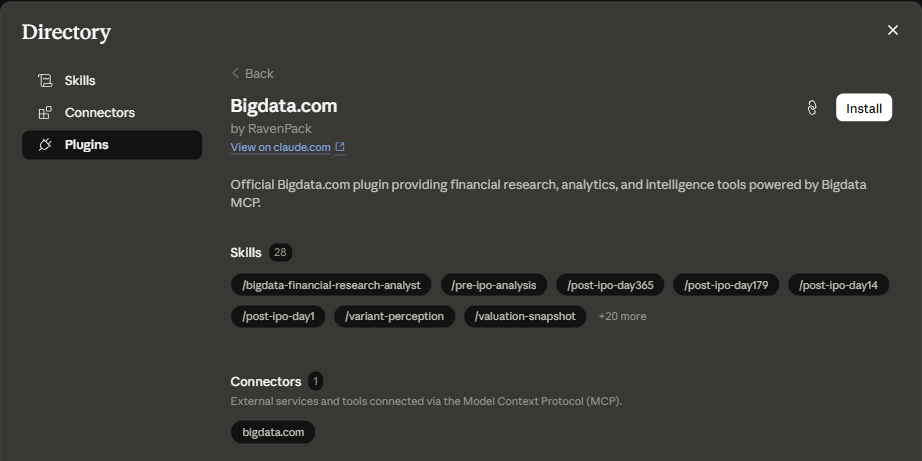 Click on **Install** at the Bigdata plugin page displayed above.
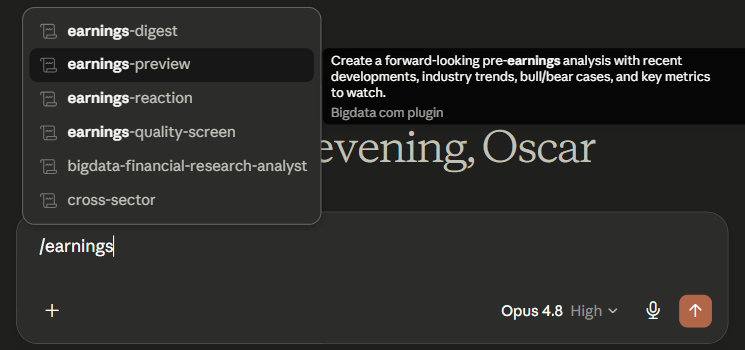
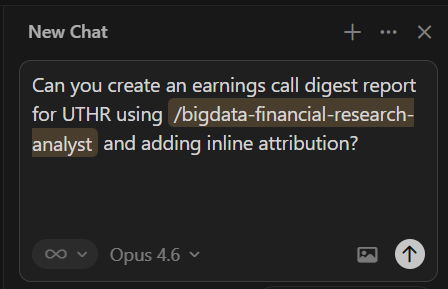
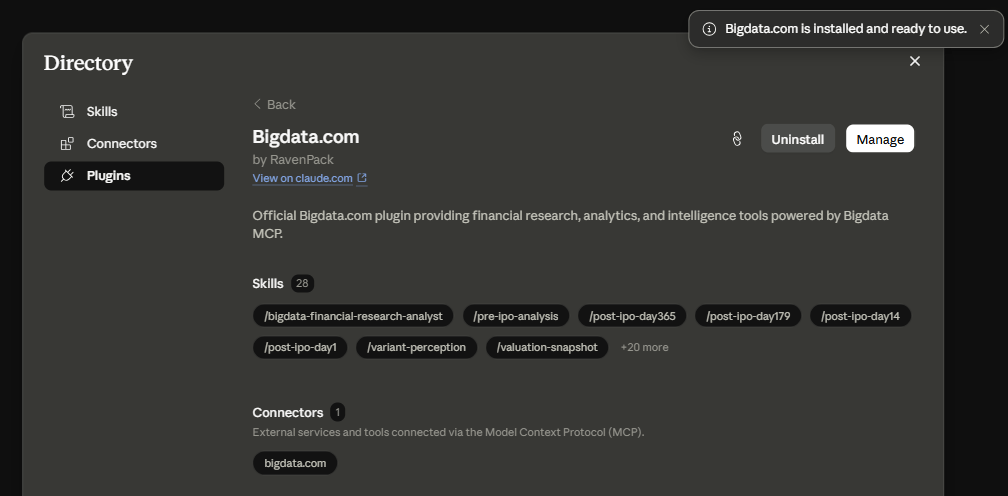 You're all set! Open a new chat and type for example `/earnings-preview IBM`. Starting with `/` will display all the available skills.
 Open the [Bigdata Financial Research Analyst GitHub releases page](https://github.com/Bigdata-com/skills-financial-research-analyst/releases) and download the latest `.skill` file from the assets section.
Rename the downloaded `.skill` file extension to `.zip`, then extract its contents using your preferred archive tool.
Open the [Bigdata Financial Research Analyst GitHub releases page](https://github.com/Bigdata-com/skills-financial-research-analyst/releases) and download the latest `.skill` file from the assets section.
Rename the downloaded `.skill` file extension to `.zip`, then extract its contents using your preferred archive tool.
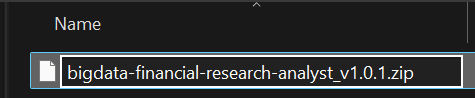 Create the path `.cursor/skills/` at the root of your project and add the extracted folder inside it.
Cursor will recognize the skill and you can start using it in your conversations.
Create the path `.cursor/skills/` at the root of your project and add the extracted folder inside it.
Cursor will recognize the skill and you can start using it in your conversations.
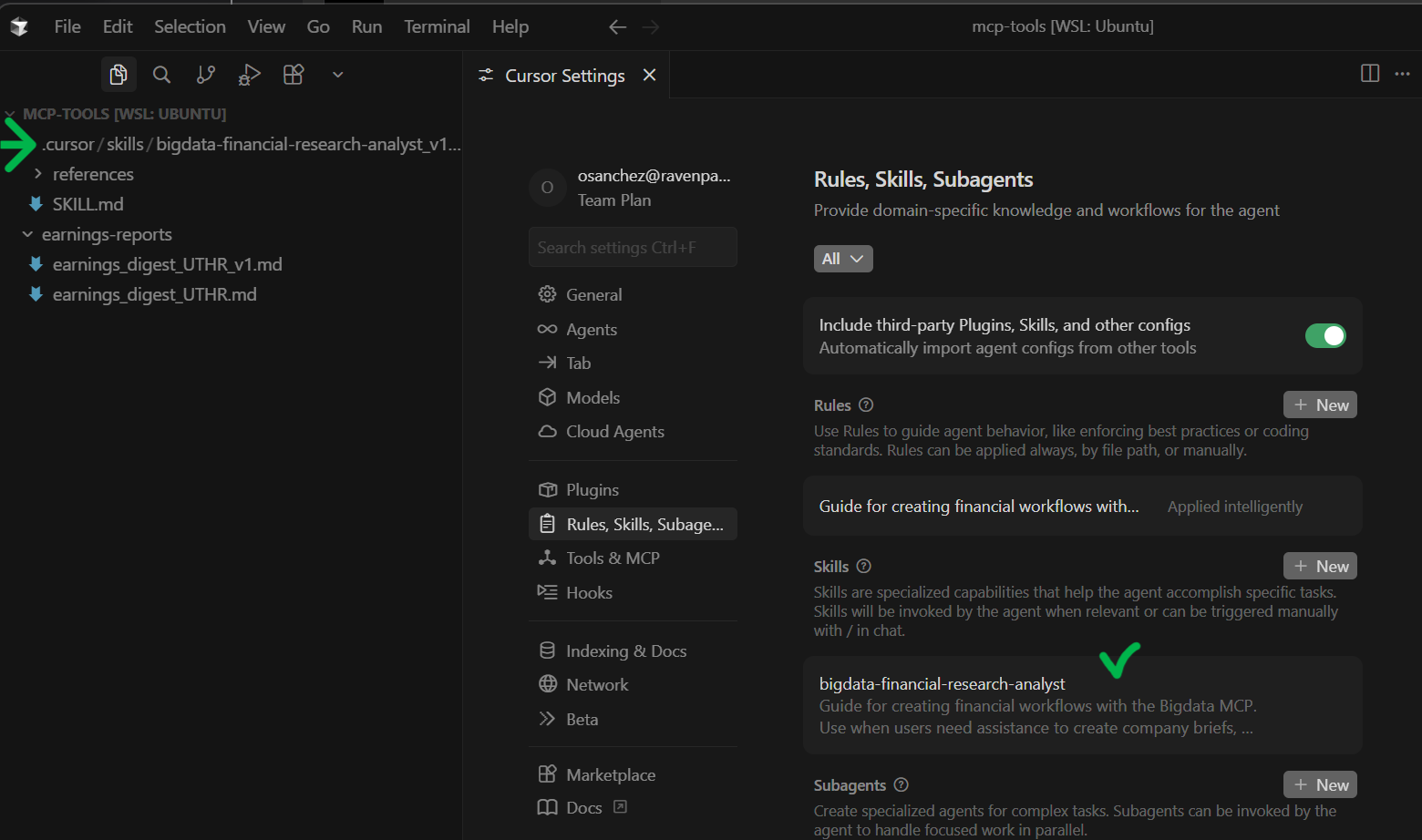 You're all set! Your Cursor agents now have access to the Financial Research Analyst skill and you can start using it in your conversations:
 ## Available Workflows
Once the skill is installed, you can use the following workflows in your conversations:
### Public Company Analysis
| **Workflow** | **Description** |
| :--------------- | :---------------------------------------------------------------------------------------------------------- |
| Company Brief | Generate a comprehensive overview of a company including business model, financials, and market position |
| Earnings Preview | Get prepared for upcoming earnings with analyst estimates, historical performance, and key metrics to watch |
| Earnings Digest | Summarize earnings calls and quarterly results into actionable insights |
| Risk Assessment | Evaluate company-specific and market risks with data-driven insights |
### Macro Economics Analysis
| **Workflow** | **Description** |
| :----------------------- | :--------------------------------------------------------------------------------------------------------------------------- |
| Sector Analysis | Analyze sector performance, valuations, key themes, sub-industry breakdowns, and upcoming catalysts |
| Country Economic Profile | Assess a country's economic health including GDP, inflation, monetary policy, labor market, and market implications |
| Country-Sector Analysis | Combine macroeconomic backdrop with sector-specific analysis for a given country (e.g., "US Technology", "India Financials") |
| Cross-Sector Comparison | Compare sectors on valuations, earnings growth, and sentiment with economic cycle positioning and rotation signals |
| Thematic Research | Analyze macro investment themes (AI, energy transition, deglobalization, rates) with sector and geographic impact matrices |
| Regional Comparison | Compare G7/G20 economies across growth, policy, valuations, currency, and cross-asset views with allocation recommendations |
## Related Resources
Learn how to configure the Bigdata.com MCP connector in Claude
Explore detailed company brief prompt examples
## Available Workflows
Once the skill is installed, you can use the following workflows in your conversations:
### Public Company Analysis
| **Workflow** | **Description** |
| :--------------- | :---------------------------------------------------------------------------------------------------------- |
| Company Brief | Generate a comprehensive overview of a company including business model, financials, and market position |
| Earnings Preview | Get prepared for upcoming earnings with analyst estimates, historical performance, and key metrics to watch |
| Earnings Digest | Summarize earnings calls and quarterly results into actionable insights |
| Risk Assessment | Evaluate company-specific and market risks with data-driven insights |
### Macro Economics Analysis
| **Workflow** | **Description** |
| :----------------------- | :--------------------------------------------------------------------------------------------------------------------------- |
| Sector Analysis | Analyze sector performance, valuations, key themes, sub-industry breakdowns, and upcoming catalysts |
| Country Economic Profile | Assess a country's economic health including GDP, inflation, monetary policy, labor market, and market implications |
| Country-Sector Analysis | Combine macroeconomic backdrop with sector-specific analysis for a given country (e.g., "US Technology", "India Financials") |
| Cross-Sector Comparison | Compare sectors on valuations, earnings growth, and sentiment with economic cycle positioning and rotation signals |
| Thematic Research | Analyze macro investment themes (AI, energy transition, deglobalization, rates) with sector and geographic impact matrices |
| Regional Comparison | Compare G7/G20 economies across growth, policy, valuations, currency, and cross-asset views with allocation recommendations |
## Related Resources
Learn how to configure the Bigdata.com MCP connector in Claude
Explore detailed company brief prompt examples