We are sunsetting our SDKs and will no longer add new features, security patches, bug fixes, or technical support for them. To access the latest capabilities and ongoing improvements, we encourage you to migrate to our RESTful API.SDK support will officially end on December 31, 2026. On this date, the underlying endpoints used by the SDKs and related documentation will be decommissioned.To avoid any disruption to your services, please ensure your migration is complete by that date.For migration assistance, please contact us at support@bigdata.com.
You can log in either with a username and password or with an API key.First of all, we recommend to create a file with environment variables to specify your credentials.
Username and password
API Key
The username and password are the same you use to log in to the Bigdata App.
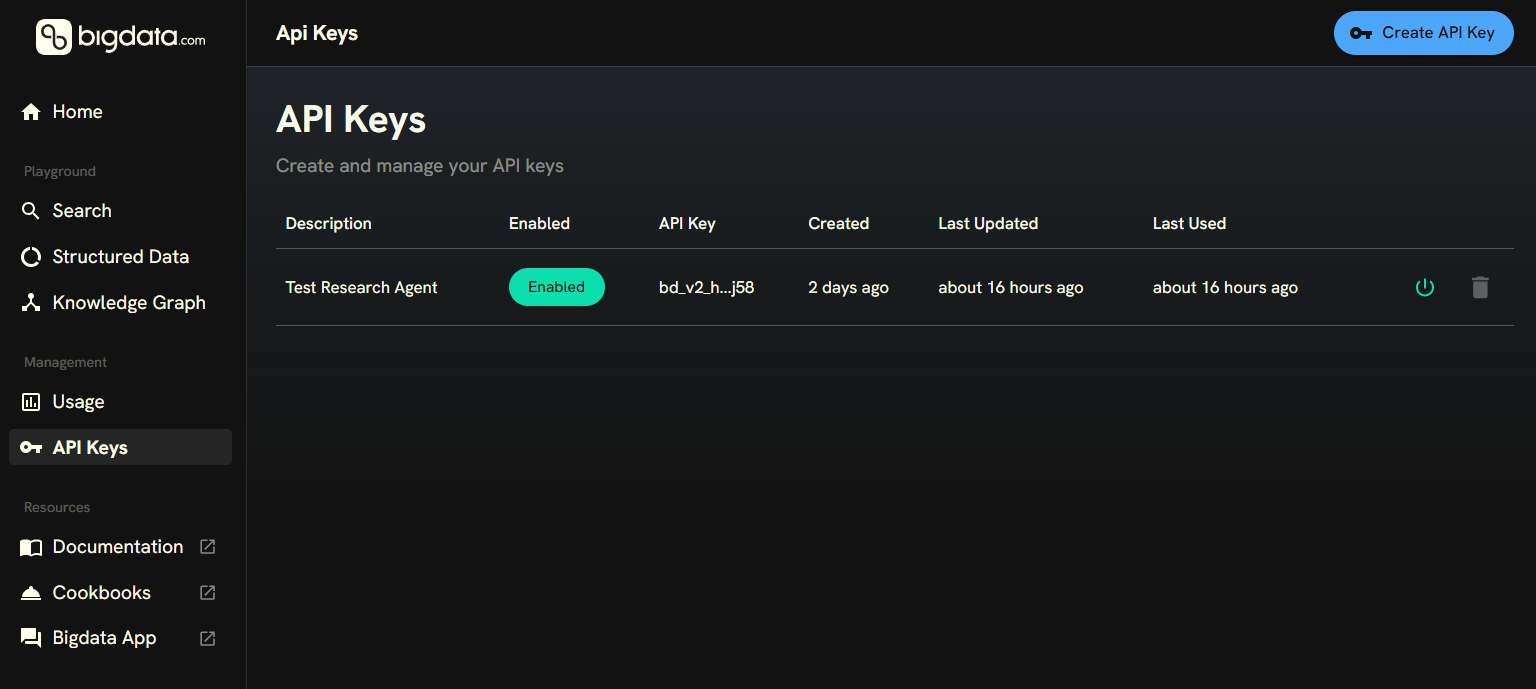
You can create your API Keys in the Developer Platform > API KeysThen, you can save it in your environment variables and instantiate the Bigdata class with the the following code:
API keys is not supported for interacting with the bigdata.uploads service yet.
The default constructor of Bigdata will read the environment variables and use them to authenticate. API keys take precedence over the username and password.
Search
Query unified financial intelligence across premium sources and your own data through one API.
Research Agent (API only)
Create intelligent assistants that combine web and premium data with your proprietary content for deeper insights and productivity.
Chat Service (SDK only)
(Sunsetting) This is the former version of the Research Agent. It is still available in the SDK for backward compatibility, but it is recommended to use the Research Agent API instead.
Was this page helpful?
Assistant
Responses are generated using AI and may contain mistakes.