
It will help your Code Assistant to leverage all the Bigdata.com documentation and help you build your workflows with the Bigdata.com Services.

Installation

Configure MCP in Cursor By clicking on the above icon, cursor will open and ask you to accept the installation Bigdata docs MCP Or configure it manually in your agentic client’s MCP configuration file:
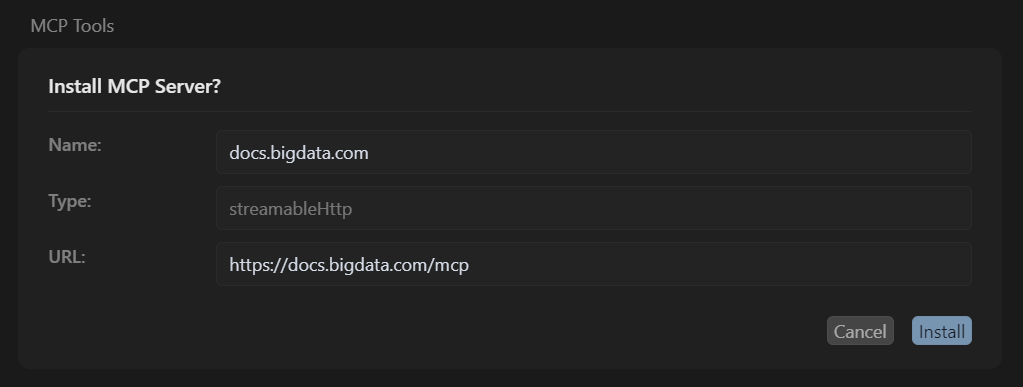
Then you are all set! The tool is now available in your IDE. Bigdata docs MCP Let’s create a simple project with a Python script that defines a curated list of trusted financial sources and perform a search with a Similarity filter.

Set up local environment

Create a project folder in your workspace and name it bigdata-code-assistant-example.
and follow the Prerequisites instructions to set up the local Bigdata.com environment.

Create an empty Python file

Once you have your local environment set up with your credentials in the file .env, you can create an empty Python file.
  • grounding_with_bigdata_search.py
You should have the following file structure:

Script implementation

Use the following prompt to ask your Agentic IDE to help you create the code for that file:
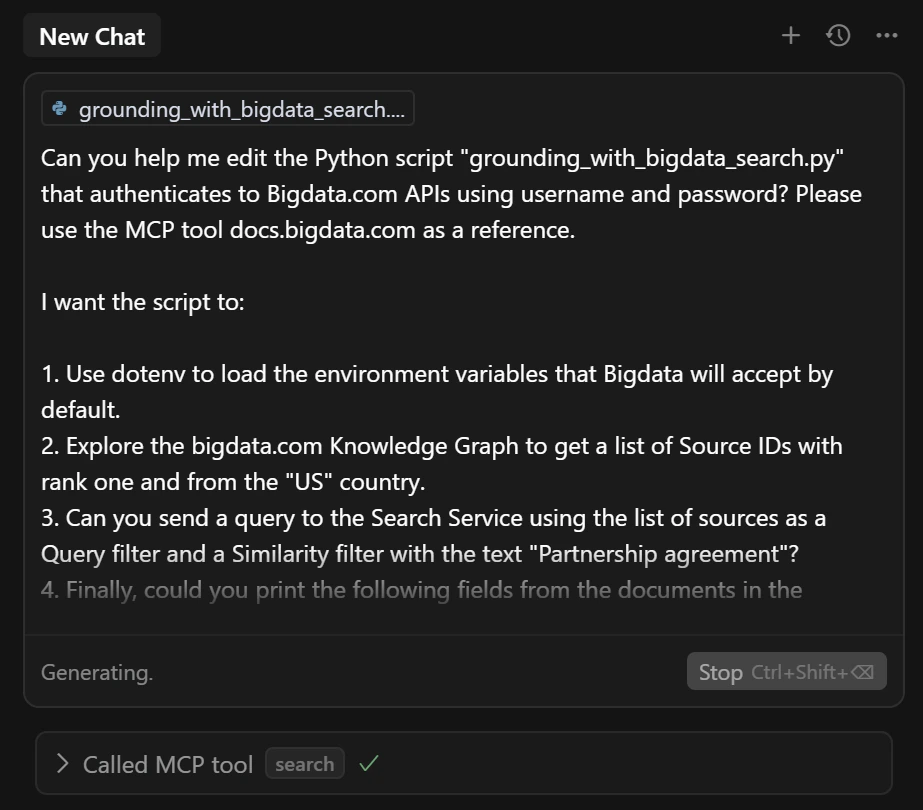
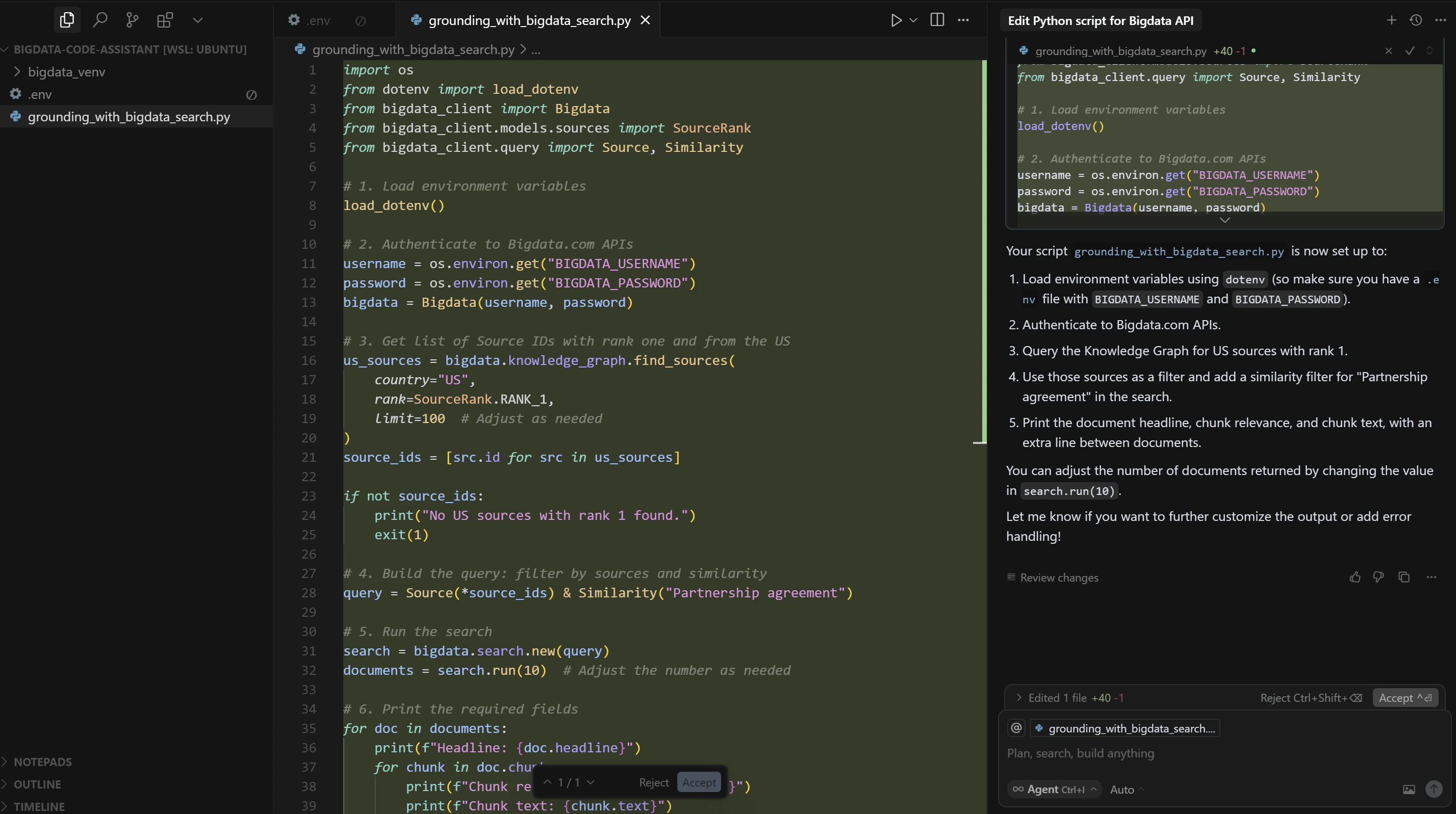
Your Agentic IDE will ask you permission to access the MCP tool docs.bigdata.com, and then build the full script for you. MCP permission You can accept the changes and run the script to see the results. Proposed script

Test the script

Run the script and iterate if you want to enhance it. Example output:
