

Overview
This guide shows how to connect the Grok SDK to the Bigdata MCP server so that a Grok-powered agent can search for financial news, resolve securities, and generate structured analysis using Bigdata.com. You will configure a remote MCP tool inside a Grok API call, point it at the Bigdata MCP server, and restrict the tool set to exactly the tools you need.Requirements
- A xAI account with a Grok API key
- A Bigdata.com API key
- The xAI SDK installed
Step 1: Install the xAI SDK
The xAI SDK supports multiple languages. This guide uses Python, but you can also use cURL or any HTTP client to call the API directly. Follow the official xAI SDK installation guide for the full reference.Step 2: Create a Bigdata API key
You can create your API Key in the Developer Platform > API Keys.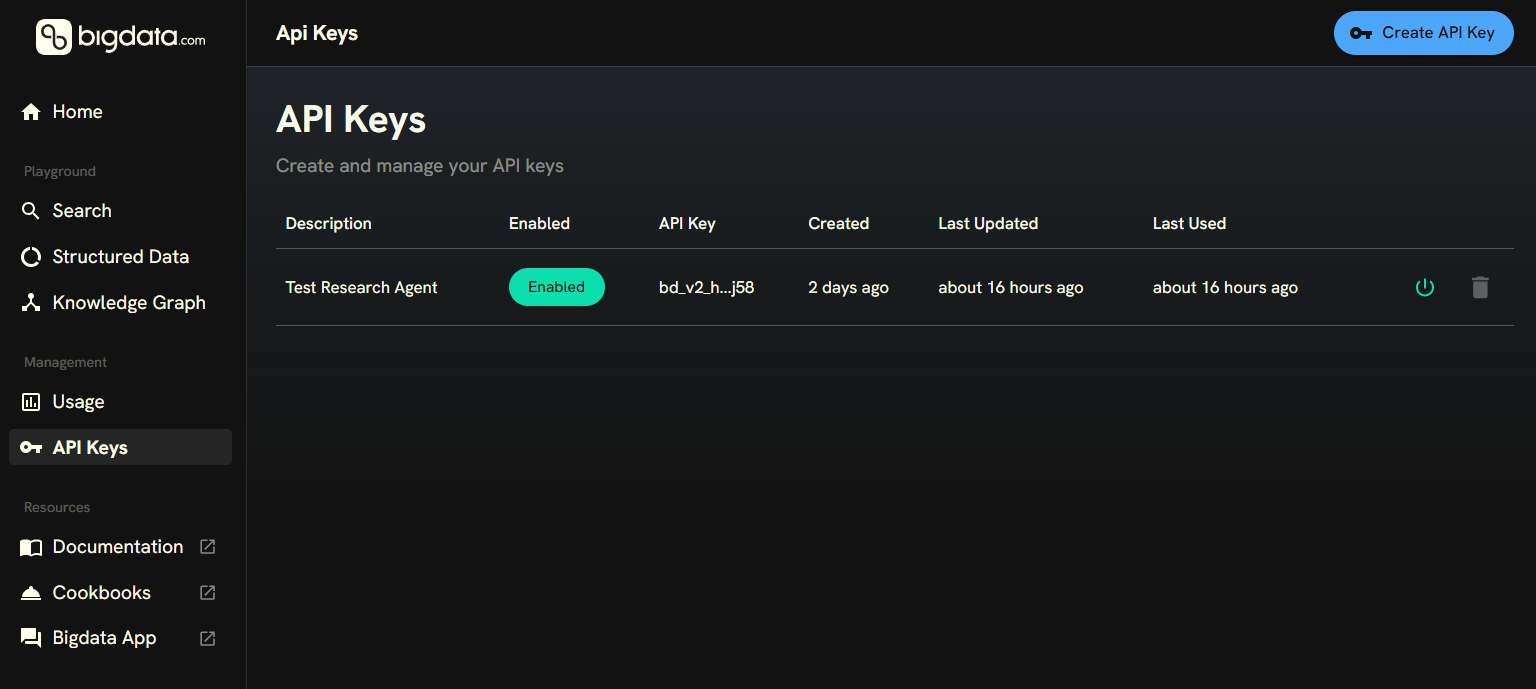
Step 3: Connect Grok to Bigdata MCP
The Grok SDK supports Remote MCP tools natively. You can connect to the Bigdata MCP server by adding an MCP tool definition to your API call. By default, Grok discovers all tools exposed by the MCP server. To restrict the agent to a subset, pass theallowed_tool_names parameter. In this example we enable two tools:
bigdata_search: Search for insights across news, filings, transcripts, and more. See bigdata_search reference.find_securities: Look up securities by name, ticker, or identifier. See find_securities reference.
- Python SDK
- cURL
grok_bigdata_agent.py
Step 4: Run and review the results
You can now run your script with the following command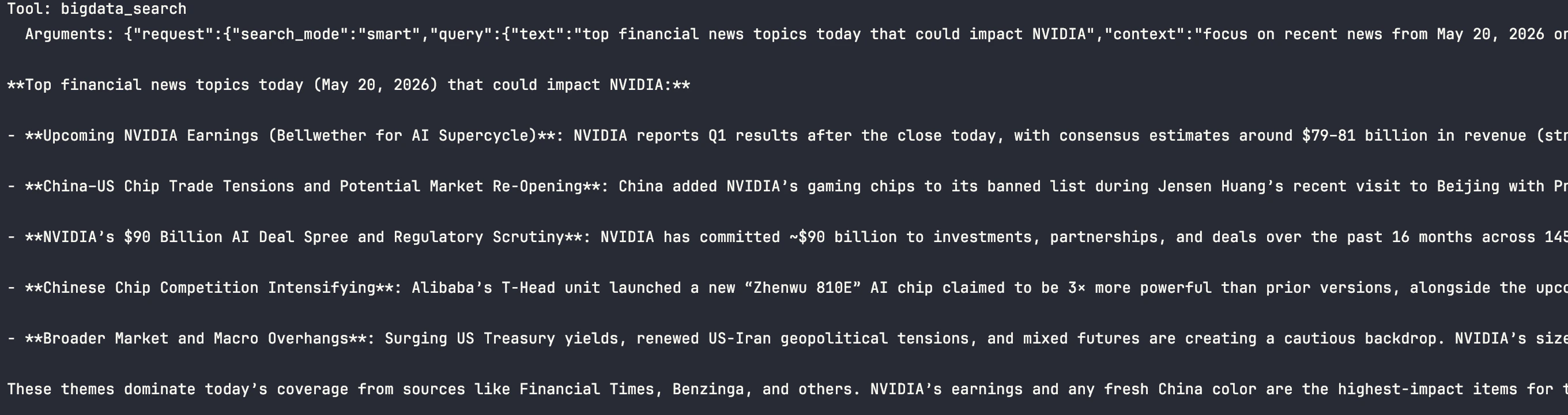
Enabling additional tools
The Bigdata MCP server exposes several tools beyondbigdata_search and find_securities. For example, you can add bigdata_company_tearsheet for comprehensive company profiles or bigdata_sentiment_tearsheet for real-time media sentiment analysis. Simply add the tool names to the allowed_tool_names list (or allowed_tools in cURL).
To enable all tools, remove the parameter entirely and Grok will discover them automatically.
For the complete list of available tools, see the Bigdata MCP tools overview.
Tips and customization
Use environment variables for API keys
Use environment variables for API keys
Avoid hardcoding API keys in your scripts. Store them in environment variables or a The code example in Step 3 already reads these via
.env file:os.getenv().Combine with other MCP servers
Combine with other MCP servers
Grok supports multiple MCP servers in a single request. Add additional tool objects to the
tools array to connect other data sources alongside Bigdata.Adjust the model
Adjust the model
Replace
grok-4.3 with any available Grok model. See the xAI models page for the latest recommendations, or browse the full model list in the xAI console.