

June 23, 2026
Data Science, Workflows, AI, Search/6 minutes read
Bigdata Briefs is a service with a simple job: given a company and a date, generate a short list of novel, materially relevant bullet points about that company.
GitHub
Setup, configuration, and API reference
Web App
Try it live: real companies, real briefs, updated daily.
The Three Improvements
1. What to search for
A single broad query returns results that cluster around whatever dominated the news flow. If there was a product announcement, those chunks crowd out the supply chain story, the regulatory development, and the executive commentary that happened in the same period. The service avoids this by separating discovery from retrieval. A broad exploratory pass runs first to understand which themes are active for this entity in this window. An LLM then identifies up to five distinct topic areas from those results, each with the specific concepts that matter within it. Targeted retrieval runs separately per theme, so the evidence going into each section of the brief reflects what actually happened across all areas, not just the most-covered one.2. How to keep bullets from repeating each other
Each theme gets its own generation step: the LLM reads that theme’s evidence and writes its bullets. Bullets from earlier themes are passed into the prompt so the model avoids repeating the same information. Evidence naturally overlaps across themes, so without this cross-theme hint the same fact can surface twice, phrased differently but carrying the same information. Every generated bullet is then scored for relevance on a 1-to-5 scale, based on its actionability, materiality, and direct impact on the entity. Bullets that don’t clear the threshold are dropped before the novelty stage runs.3. How to enforce novelty across runs
Text similarity alone is not enough: the same fact can be phrased in many ways, a statistic can shift slightly while representing the same trend, a quote can be paraphrased. The service uses a two-stage approach that escalates precision as needed. Stage 1: Embedding filter. Each bullet is embedded and used to retrieve the most similar previously published bullets for the same entity from a vector index. An LLM reads the retrieved candidates and makes a coarse decision: keep, discard, or flag for deeper inspection. Clear repeats are discarded here. Everything else, whether kept as-is or flagged as partially novel, moves to the second stage. Stage 2: Claim-level search judgment. Each bullet is broken down into its individual factual claims. For each claim, a targeted search retrieves the evidence most relevant to that specific assertion, and an LLM judges whether the claim is new, already known, or somewhere in between. The claim-level judgments determine what happens to the bullet:- Publish: all claims are new.
- Rewrite: the bullet contains genuine new information alongside already-known context. The rewriter foregrounds the novel part and subordinates the old: “While X has been a known concern, the company disclosed Y in its Q1 filing.”
- Discard: no claim adds new information, or a claim is an inference not supported by evidence.
What This Enables
Recurring credit monitoring: A fixed-income desk running weekly updates on 150 issuers needs each brief to contain only what changed. The novelty layer ensures a leverage ratio from last week’s brief does not reappear unless there is a new development that changes its significance. Earnings coverage across a book: A PM covering 40 names needs the same structured brief on every company before its print date, guidance track record, estimate momentum, material developments, applied consistently regardless of how much media coverage each name receives in a given week. Full-portfolio event coverage: one run surfaces the material developments on every name in the portfolio, down to the low-coverage ones carried by a single article that would otherwise be drowned out by whatever dominates the news flow. Auditable output at scale: Because every bullet carries its evidence trace and every filtered bullet carries its rejection reason, the output can be reviewed at the claim level rather than the document level. That is the bar institutional workflows have to clear.How you use Briefs
A brief is only useful if it reaches you where you already work. There are three ways to read briefs and to trigger new ones, from zero-code to fully programmatic:- The Web App, a ready-to-use desk you open in the browser.
- Claude integration via MCP, so an assistant can generate and reason over briefs in your own workflows.
- Direct requests to the running service, for teams that want to wire briefs into their own systems.
The Web App
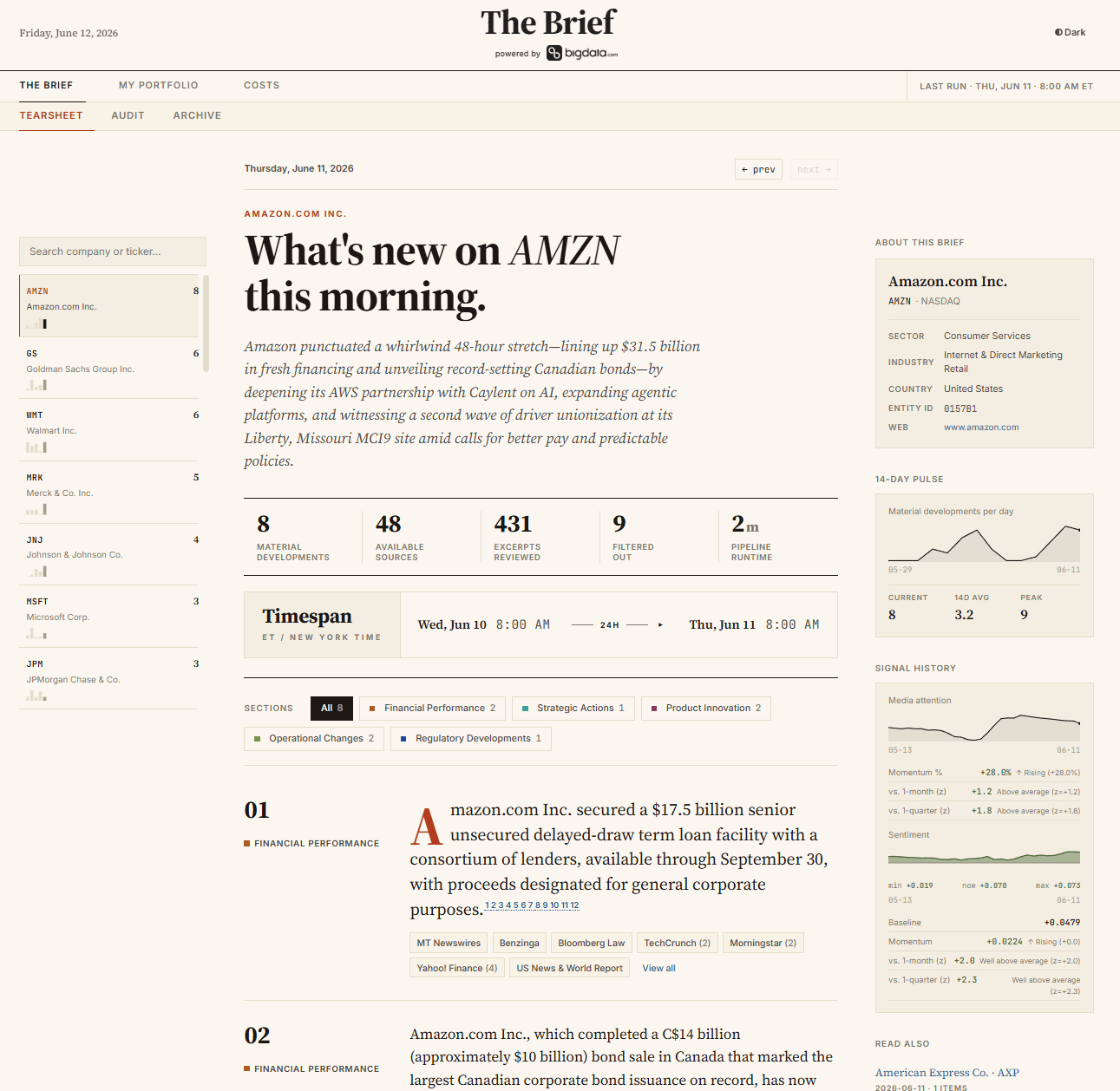
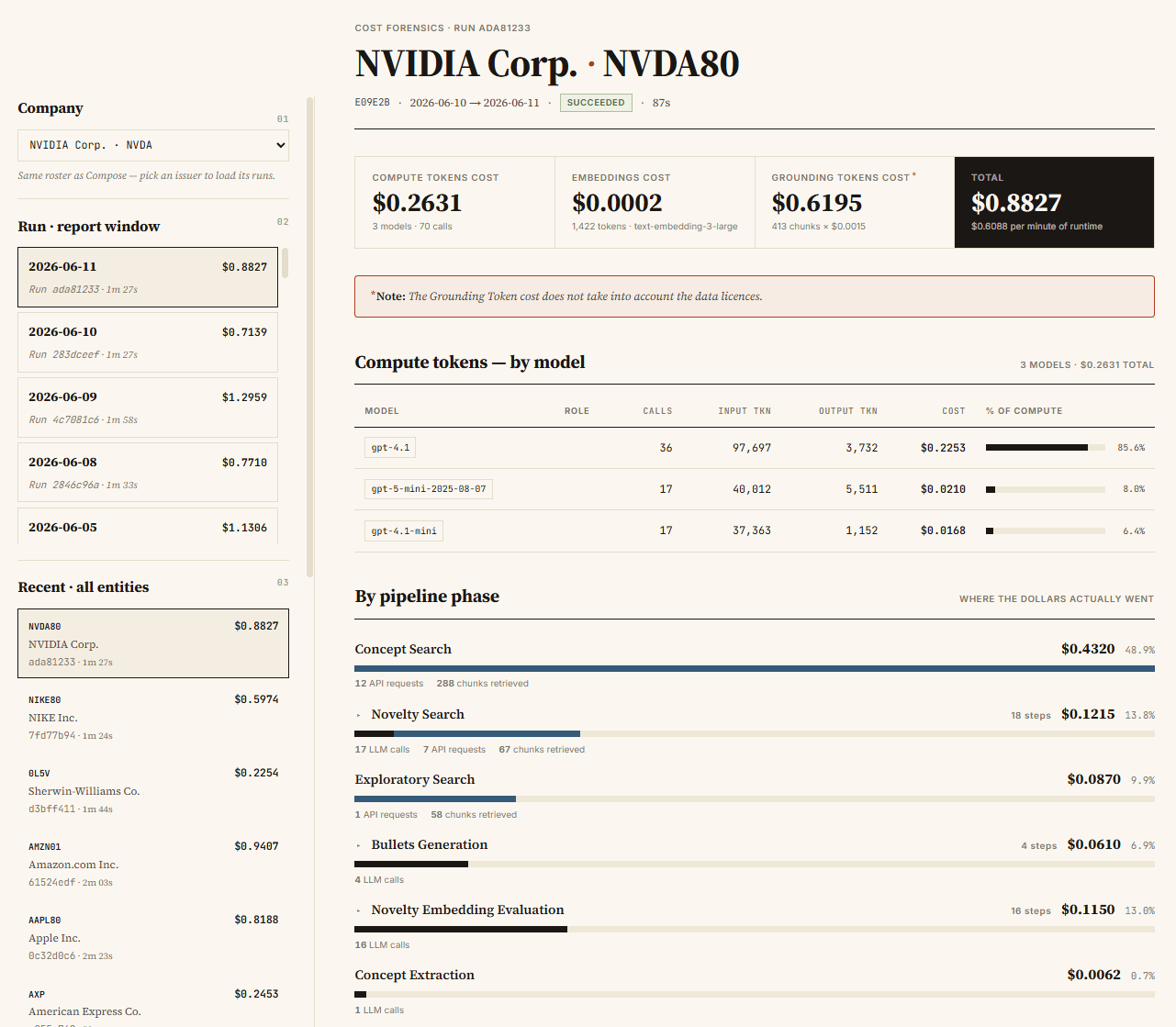
The service ships with a desk-style Web App, so a portfolio can be monitored without writing a single line of code. You build a watchlist once, and every morning the app shows you what changed.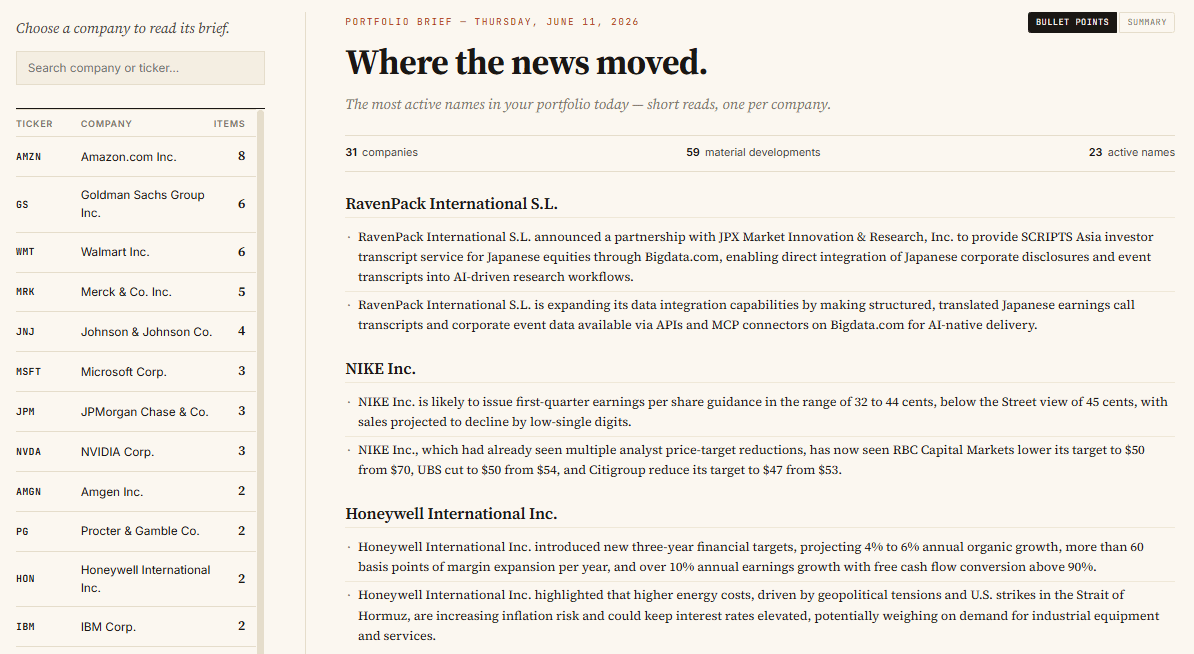
Claude integration via MCP
Briefs is also exposed as an MCP server, so Claude can generate and read briefs directly, on demand or on a schedule, and feed the output straight into whatever comes next. That turns briefs from something you open into something an assistant works with on your behalf.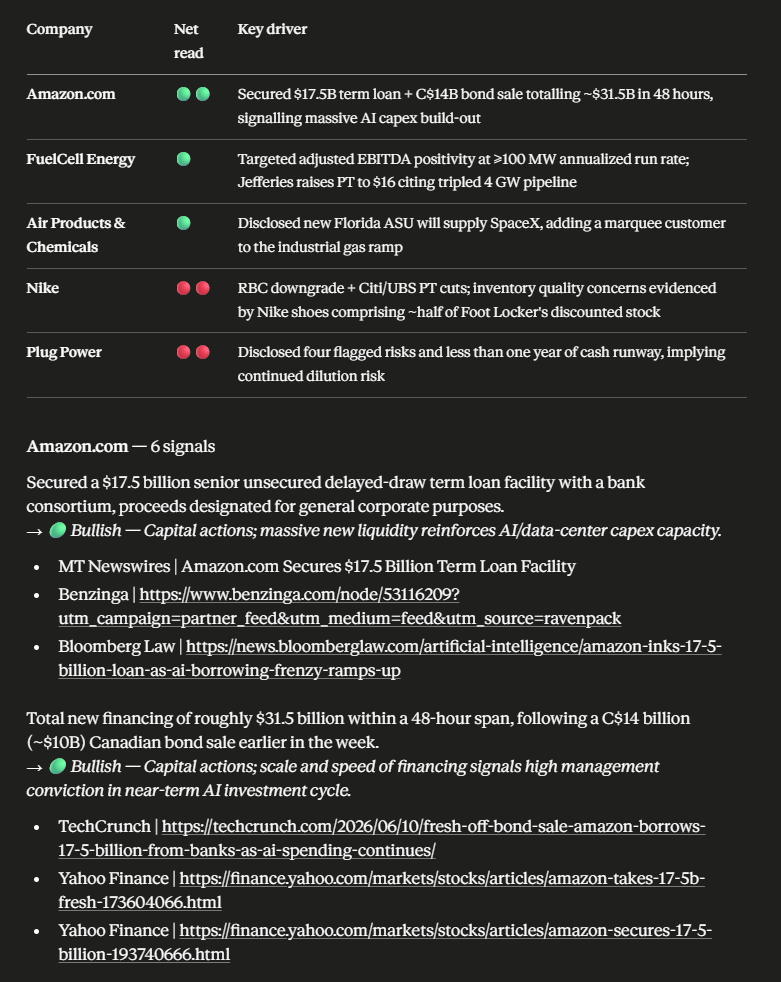
Direct requests to the running service
For teams that want briefs inside their own systems, the running service exposes a simple API: trigger a run for any company or universe, poll for completion, and pull back the published bullets and narratives as structured data. It is the most flexible and most technical of the three options, and the place to look when you want to embed briefs in your own stack.Getting Started
Briefs is open and self-contained: you can run it against your own entity list with a Bigdata API key and an OpenAI API key. The reference guide is the single place for the technical detail: the full architecture and configuration, the API endpoint reference with request examples, and step-by-step instructions for running your first brief locally.
Francesco Ricigliano
Data Scientist