

Overview
Replit can connect to the Bigdata.com Remote MCP as a custom connector. This guide walks you through adding the connector with a one-click setup link, then authenticating it with your Bigdata.com API key so you can search financial news, resolve securities, and generate research from Replit.Bigdata.com is not yet listed as an official Replit connector. Use the custom connector link below to add it to your Replit integrations.
Requirements
- A Replit account
- A Bigdata.com API key from the Developer Platform
Configuration Steps
1
Create a Bigdata API key
Create an API key in Developer Platform > API Keys. You will paste this key into the Replit connector in the next step.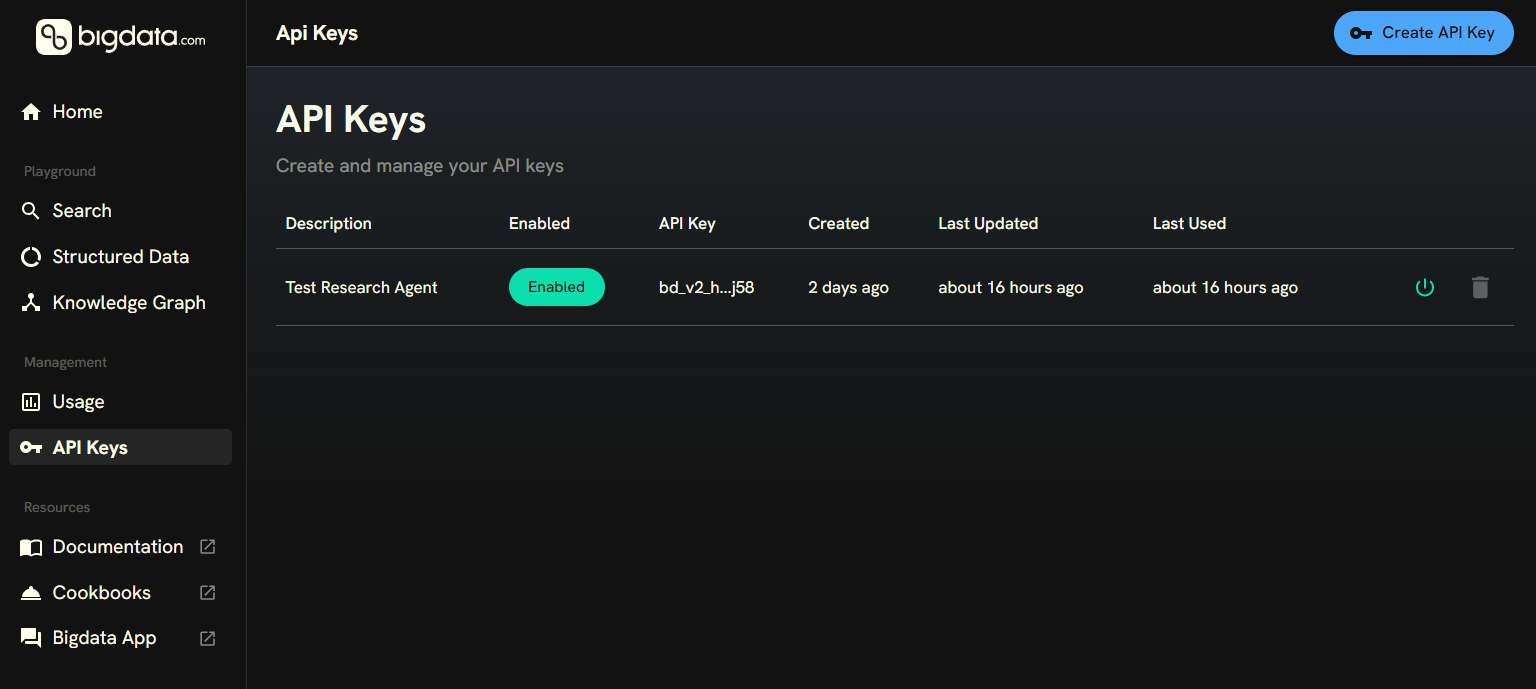
2
Add the Bigdata.com custom connector
Open the Replit integrations page with the Bigdata.com custom connector pre-filled:

- Display name:
Bigdata.com - Server URL:
https://mcp.bigdata.com - Header:
X-API-KEY
3
Replace the API key placeholder
In the Replit connector setup, expand Advanced settings and replace 
YOUR_API_KEY with the API key you created in the previous step, then save the connector.