The Bigdata.com Plugin for VS Code bundles the Bigdata MCP Connector and the Financial Research Analyst skill, bringing institutional-grade financial research capabilities directly into your VS Code environment. This plugin enables you to run financial analysis workflows, generate investment reports, and access real-time financial data without leaving your editor.

Installation

1

Add Plugin Marketplace

Press Ctrl+Shift+P (or Cmd+Shift+P on Mac) to open the Command Palette, and search for Install Plugin from SourceVS Code plugin marketplace setupEnter the Bigdata official plugin marketplace:

https://github.com/Bigdata-com/bigdata-plugins-marketplace
Add Bigdata plugin marketplace
2

Install the Plugin

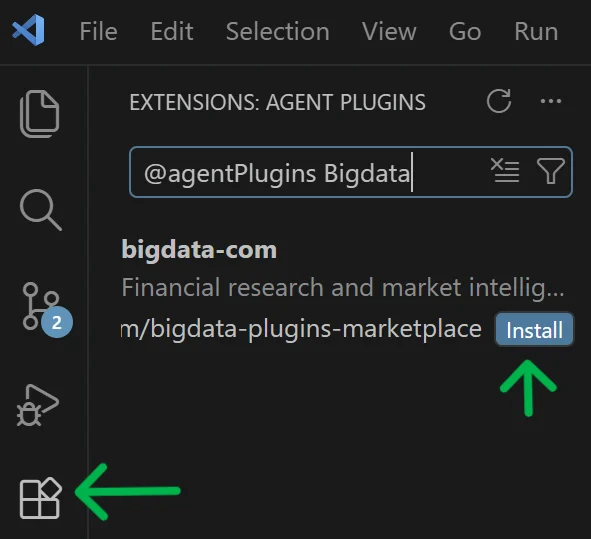
Click the Extensions icon in the left sidebar, search for @agentPlugins and press EnterThen continue typing Bigdata to find the plugin and click Install.Bigdata plugin installation
3

Trust the Repository

When prompted, click Trust to trust the official Bigdata plugins repository.The official repository is:
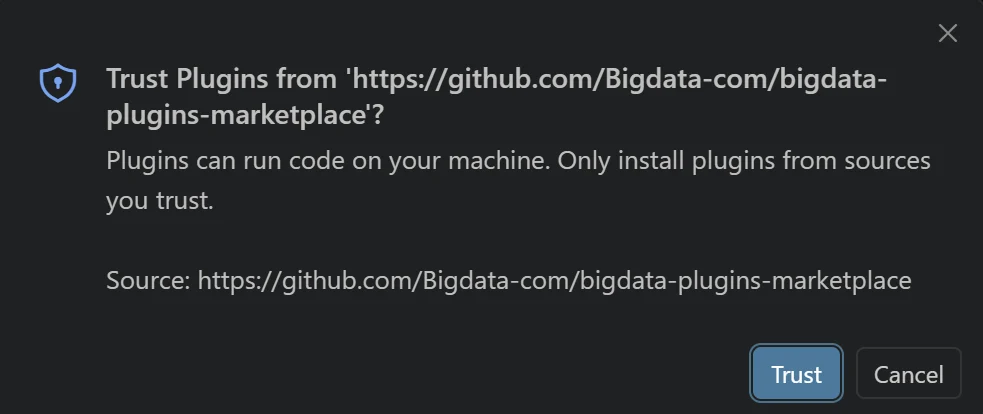
  • https://github.com/Bigdata-com/bigdata-plugins-marketplace
Trust the Bigdata plugin repository

Configuration

1

Create a Bigdata API Key

You can create your API Key in the Developer Platform > API Keys.Developer Platform > API Keys
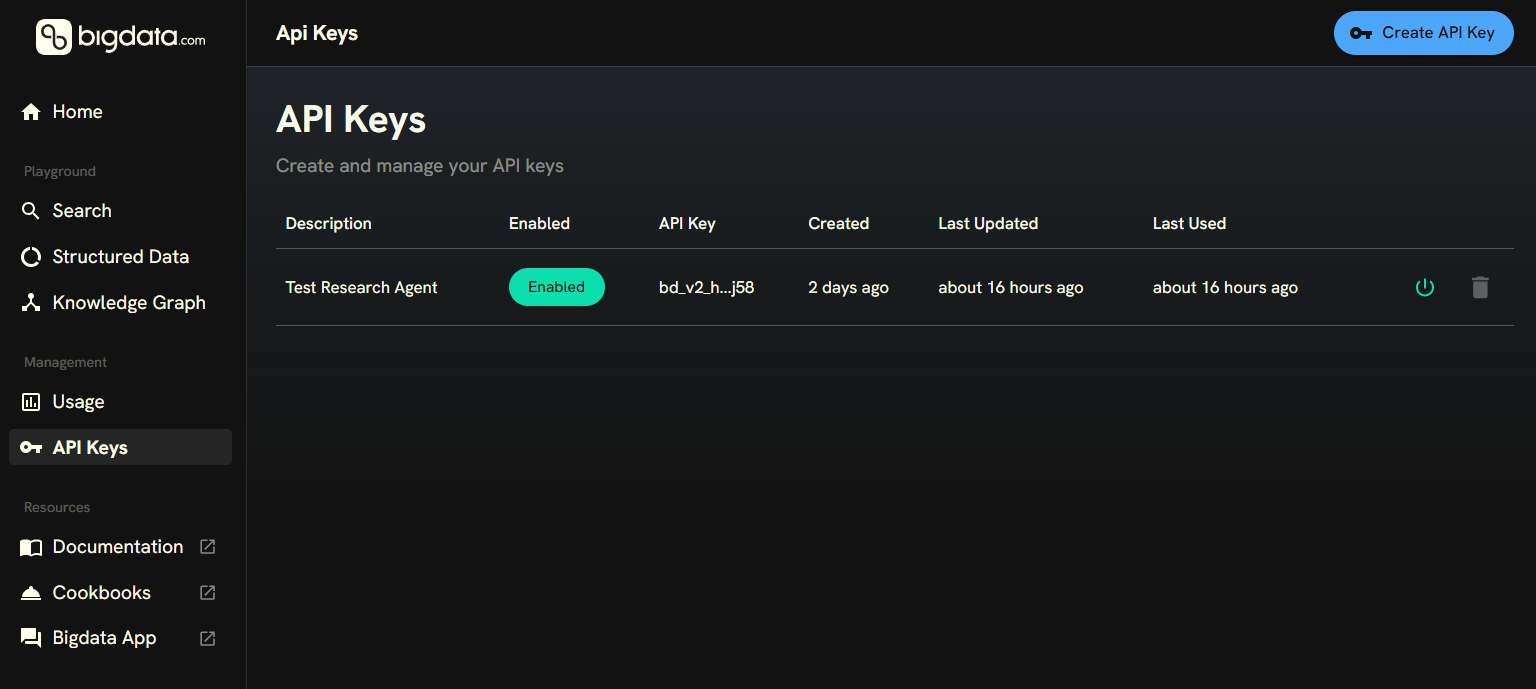
Ideally, store the API Key in your password manager, so you can access it in the future.
2

Configure the MCP Server

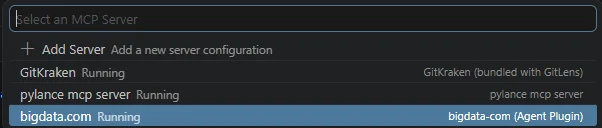
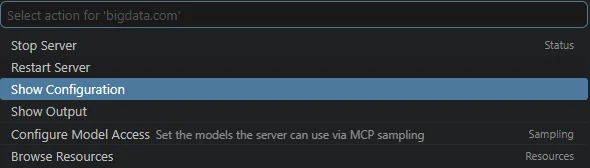
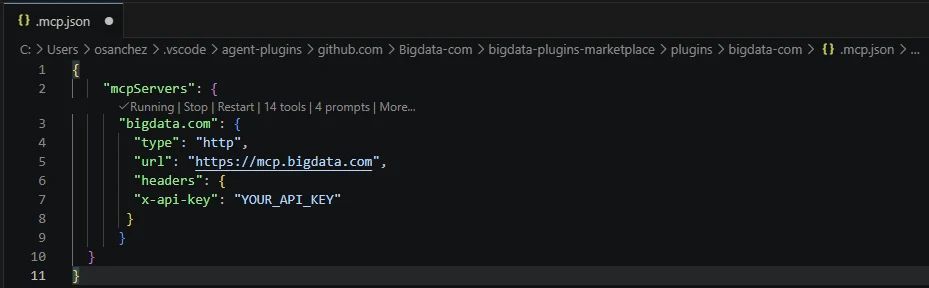
Press Ctrl+Shift+P (or Cmd+Shift+P on Mac) to open the Command Palette, type “MCP: List Servers” and press EnterMCP List Servers commandFrom the list, select or navigate to “bigdata.com”Bigdata.com MCP serverClick “Show Configuration”Show MCP configurationAnd finally, edit the configuration file to add a header with your Bigdata API Key

"headers": {
    "x-api-key": "YOUR_API_KEY"
   }
Add API key to MCP headers

Running Your First Analysis

Once configured, you can immediately start running financial research workflows.

Example: Generate an Earnings Call Preview

In the VS Code Chat panel, type:
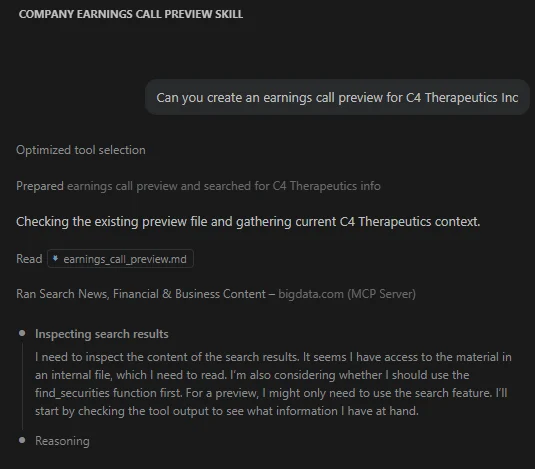
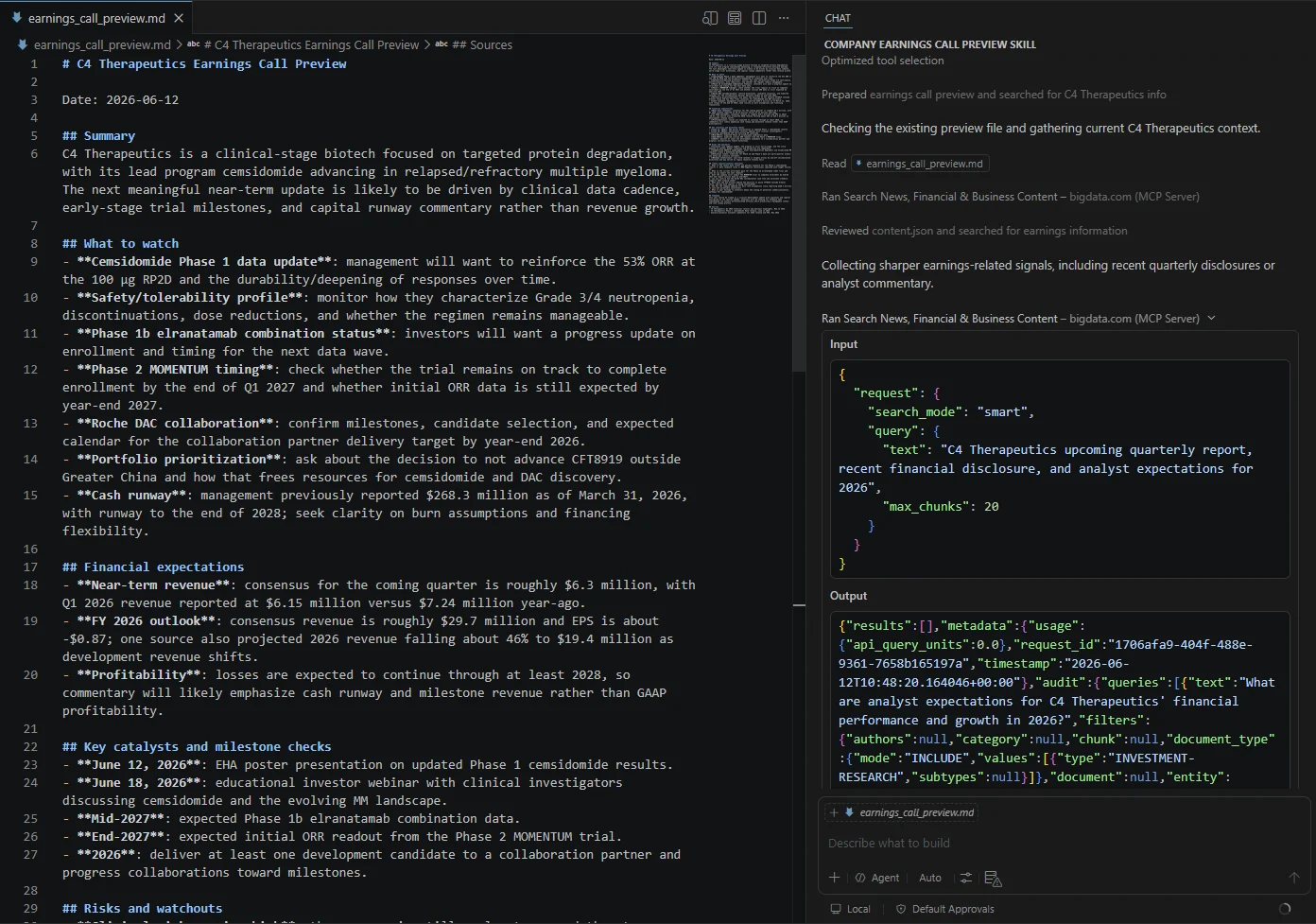
Can you create an earnings call preview for C4 Therapeutics Inc?
VS Code Chat will automatically identify the Financial Research Analyst Skill to help you create an Earnings Call Preview report. Trigger earnings call skill The plugin will search using the Bigdata MCP tools and generate your report with full source attribution. Generated earnings report