Overview
If your organization already subscribes to FactSet, Bigdata.com can customize its tools to return FactSet data through the official Bigdata.com MCP, instead of coming from the default provider. Your agent keeps the same workflow while pulling structured financial data directly from FactSet.Why should I connect the FactSet tool if I already have an official FactSet tool in my Agent?
Why should I connect the FactSet tool if I already have an official FactSet tool in my Agent?
✅ Continuity: Retrieve all the data linked to a company even after it changes its name or ticker, so your history stays complete.
✅ Completeness: The Bigdata.com tool provides more company insights that FactSet does not cover, like job hiring trends and company sentiment. If you connect the FactSet, you guarantee leveraging the best of both worlds without the Agent getting confused.
✅ Completeness: The Bigdata.com tool provides more company insights that FactSet does not cover, like job hiring trends and company sentiment. If you connect the FactSet, you guarantee leveraging the best of both worlds without the Agent getting confused.
Configuration steps
Prerequisite: You already have a FactSet subscription, and support@bigdata.com has enabled that package in your Bigdata.com organization subscription.
1
Connect the FactSet tool
Go to the Developer Platform > Connectors, select the 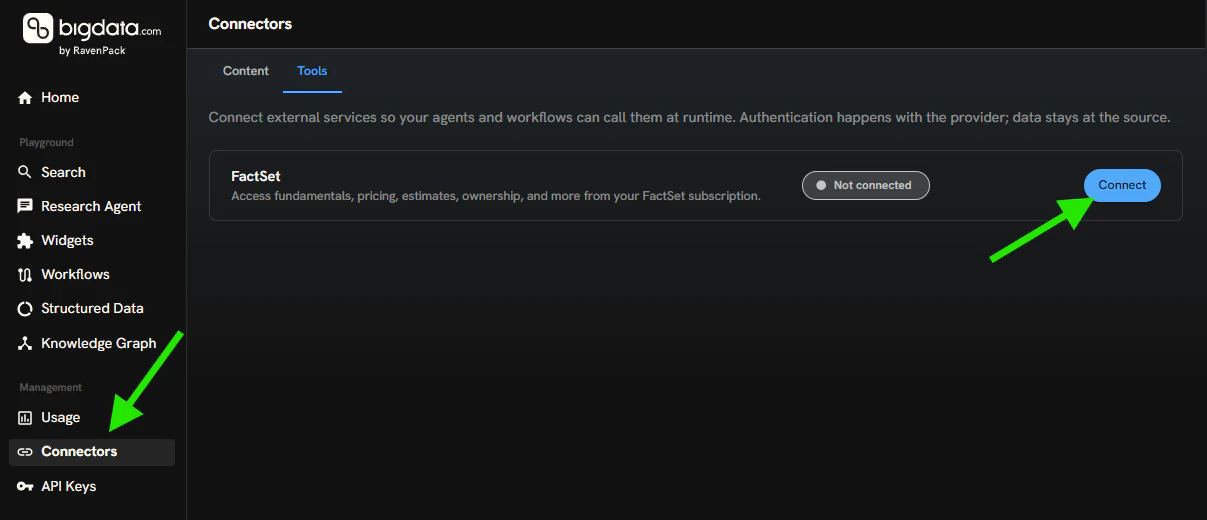
Tools tab, and click Connect.2
Log in to FactSet
The browser will redirect you to FactSet to sign in so the Bigdata.com tools can query the FactSet APIs.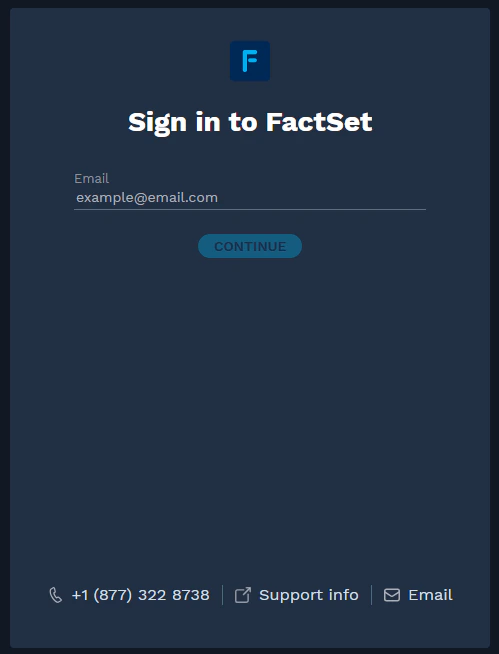
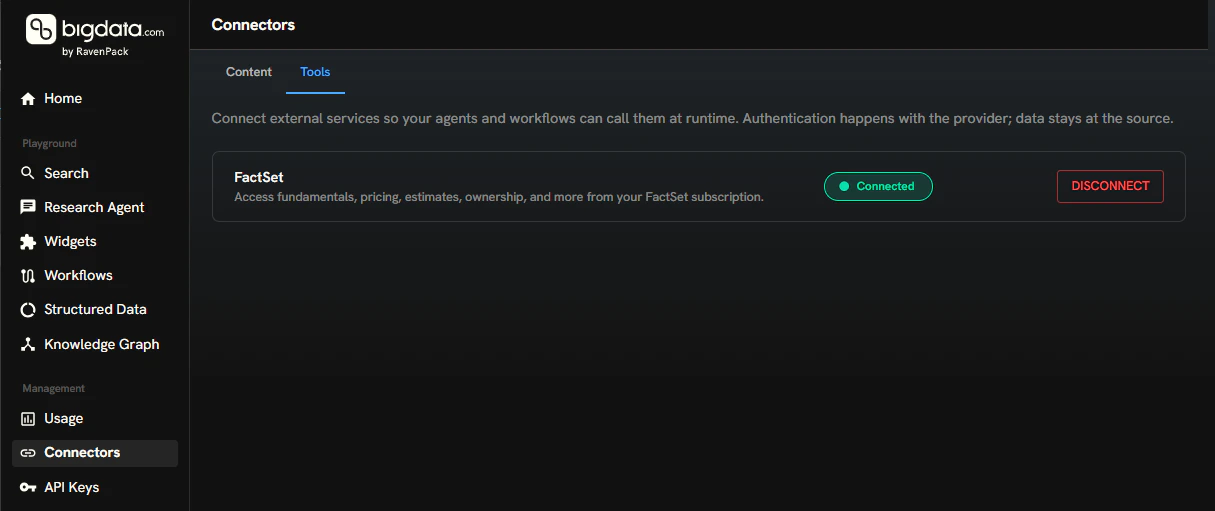
Connected.3
Type a prompt from your Agent
Ask your Agent a question that requires FactSet data, for example: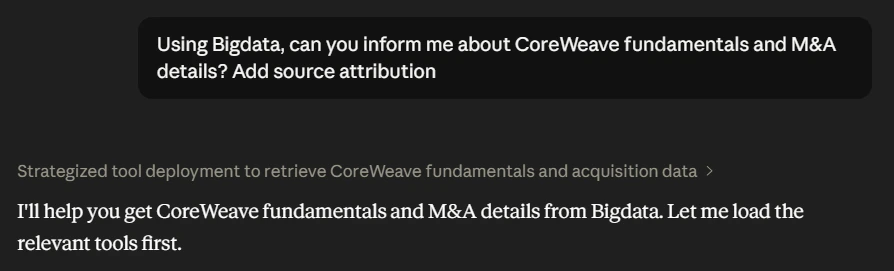
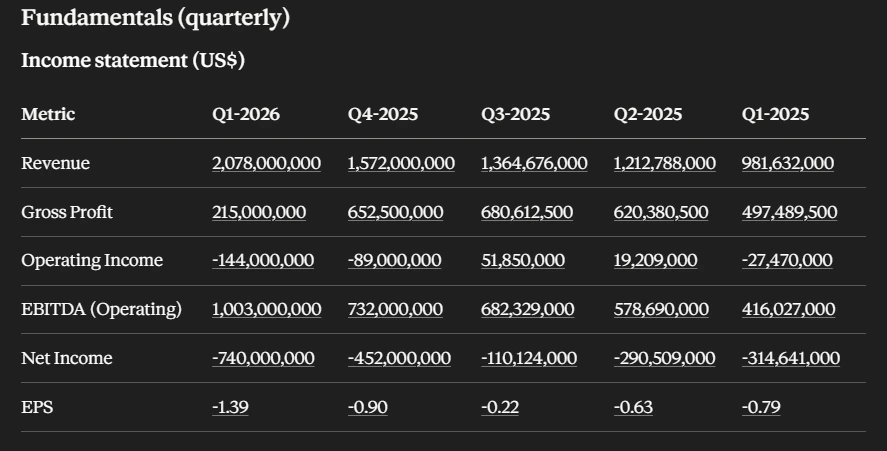
4
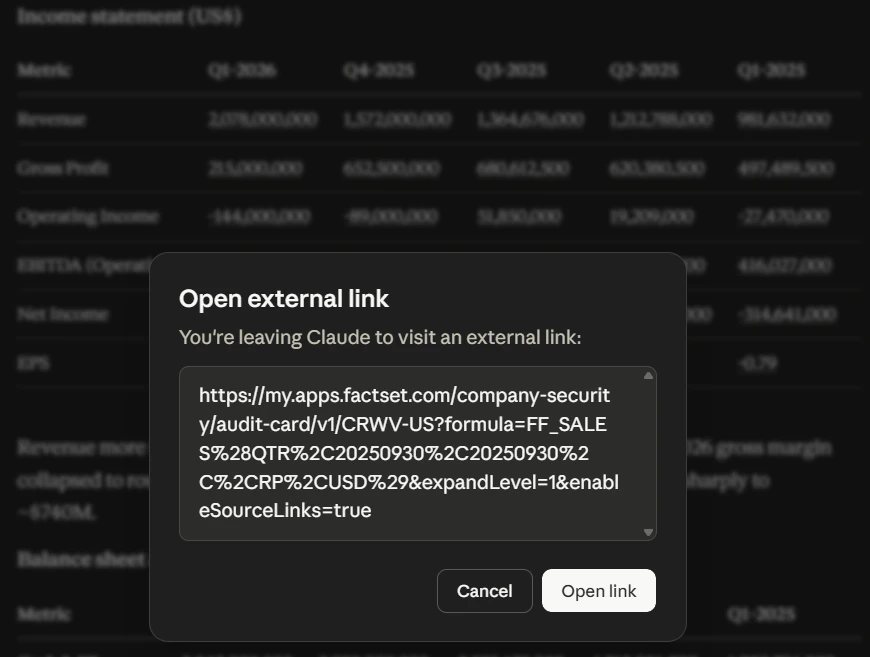
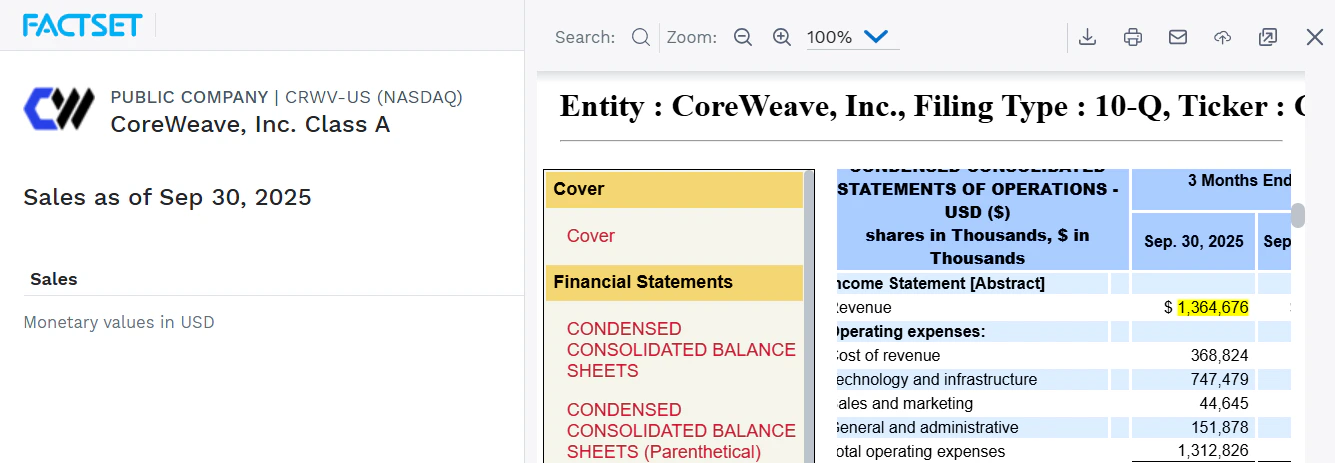
Access the source document
When you click on any of the numbers, the browser will redirect you to the source file.